

Participation & seating
Know the room. Call on everyone.
Callboard puts your class on a seating chart with photos, tracks participation in a tap, and cold-calls fairly — so the same three hands don't carry every discussion. It runs entirely on your laptop.
Coming soon
Opens the real app — click “Load the demo class,” then press C for a cold call. Nothing uploads; it all stays in your browser.
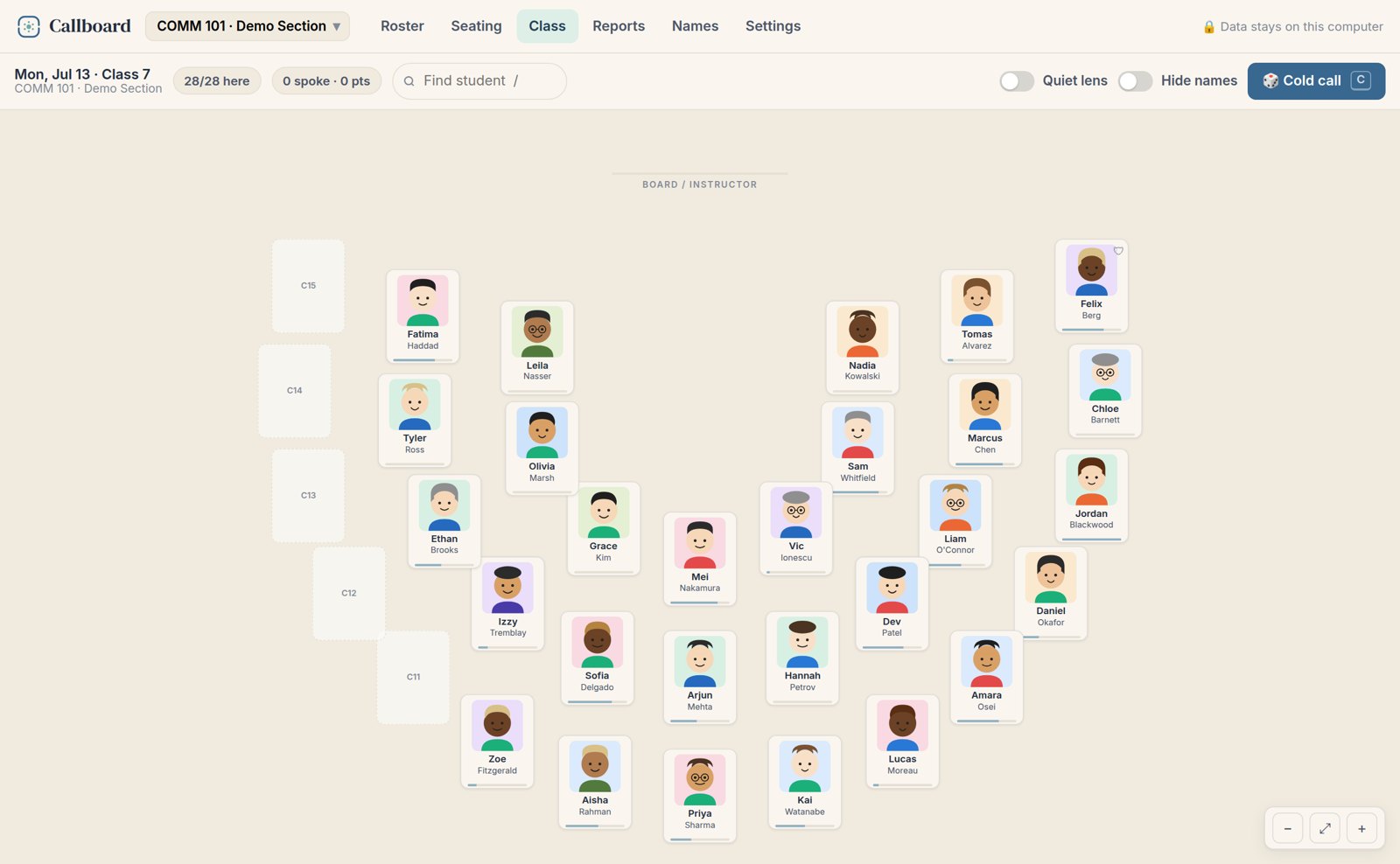
Your whole class on a photo seating chart. Tap a card to score participation, or press C to cold-call fairly. Try it →
What it does
- Photos, fast. Import the class photo list you already have — screenshot the roster, drop in files, or run on initials. Learn 200 names by week two.
- Seating that matches your room. Horseshoe, rows, tables, or a grid. Drag to arrange, or auto-seat. Print it for a sub.
- One-tap participation. Mark a strong answer, a fine one, or a shaky one as you teach. Tags, attendance on right-click, and undo everywhere.
- Cold-calling that's fair. It leans toward whoever hasn't spoken, shows you why it picked them, honours a “never cold-call” flag, and a pass costs nothing.
- Records you can grade from. Heat strips, a “worth bringing in” list, and Canvas-ready CSV export.
- Yours, and private. Everything lives in your browser — no accounts, no uploads, nothing anyone can lose for you. Works in airplane mode.
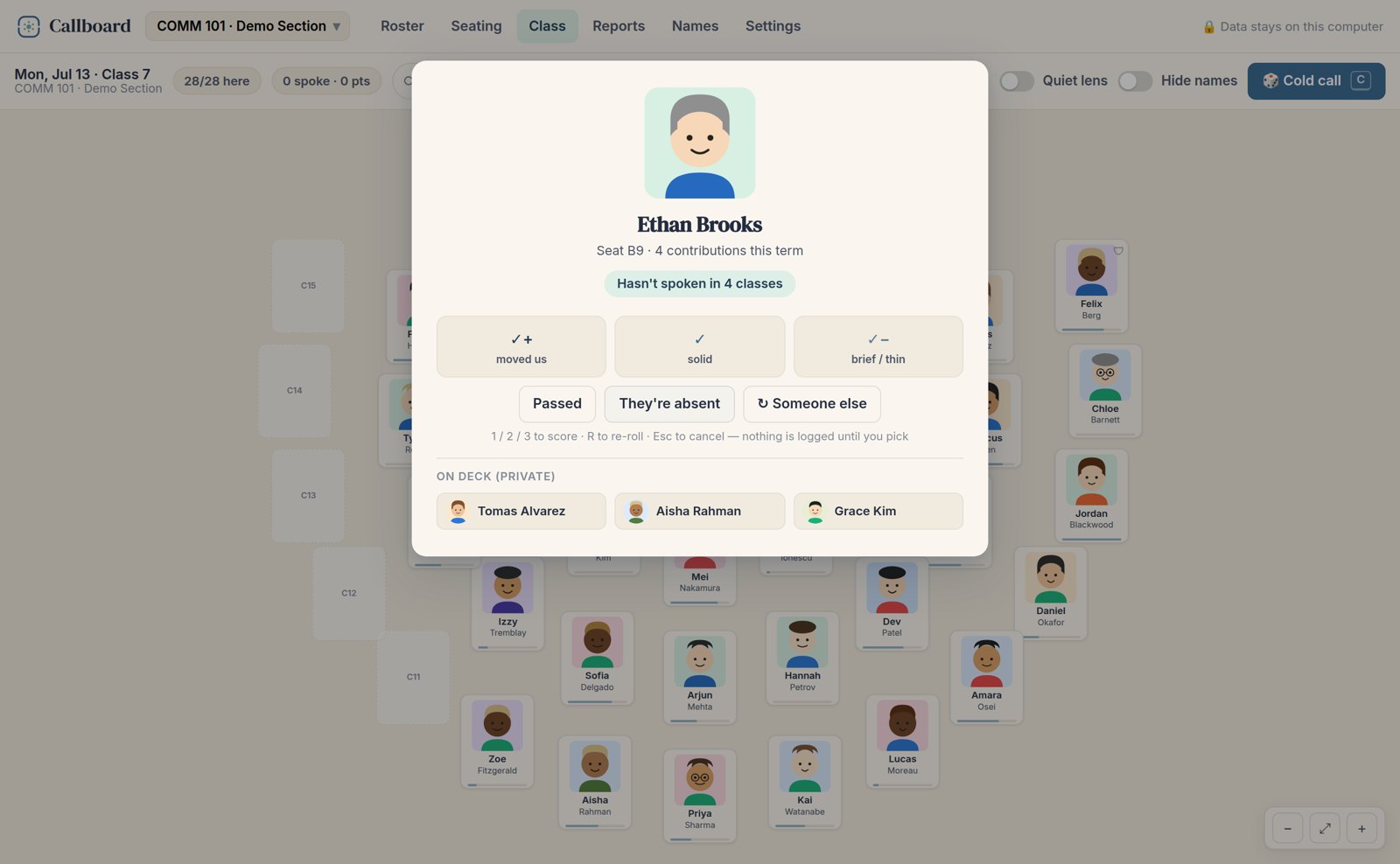
Cold-calling that's fair: Callboard leans toward whoever hasn't spoken, tells you why, and keeps a private on-deck queue — and nothing's logged until you pick.
Pricing
One coffee a month, for the year.
30-day free trial — the download just works. Department deal: $199 a year for five or more.
Everything above, one file, no install. Renew when the year's up, or don't.
Learn every name this term.
Callboard is coming soon. Leave your email for the launch note.
Get notified →